Adding a Reaction to a Section
A Step-by-Step Guide to Embedding Chemical Diagrams using the Drag-and-Drop Feature.
Learn how to embed chemical reactions and diagrams directly into any element or segment using intuitive drag-and-drop functionality.
LabIMotion allows users to embed chemical reactions and diagrams directly into any element or segment section. Using the intuitive drag-and-drop interface, you can enrich your data entries with fully interactive reaction diagrams — without leaving the form.
Table of Contents
Audience: Users
Interface: Chemotion ELN – MyDB view
Overview
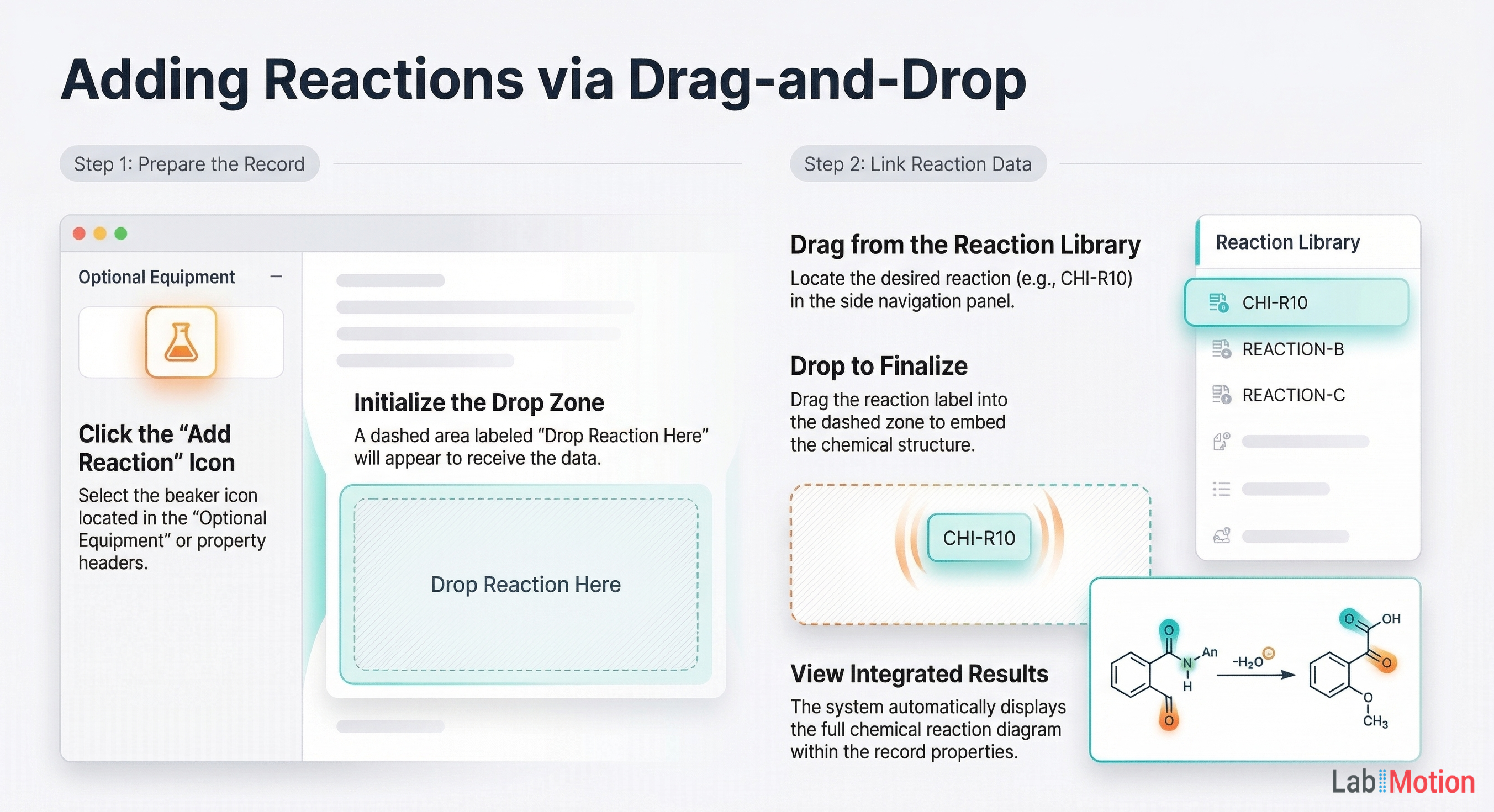
Any section in an element or segment can host a Reaction field. Users can drag an existing reaction from their reaction list and drop it directly into the section. The reaction diagram is then rendered inline, providing immediate visual context alongside the rest of the data.
Key benefits:
- Contextual chemistry – Keep reaction diagrams next to the data that references them.
- No copy-paste – A single drag-and-drop links the reaction; it stays in sync.
- Works everywhere – Available in Generic Elements and Generic Segments alike.
How to Add a Reaction
Follow these steps to embed a reaction in a section:
-
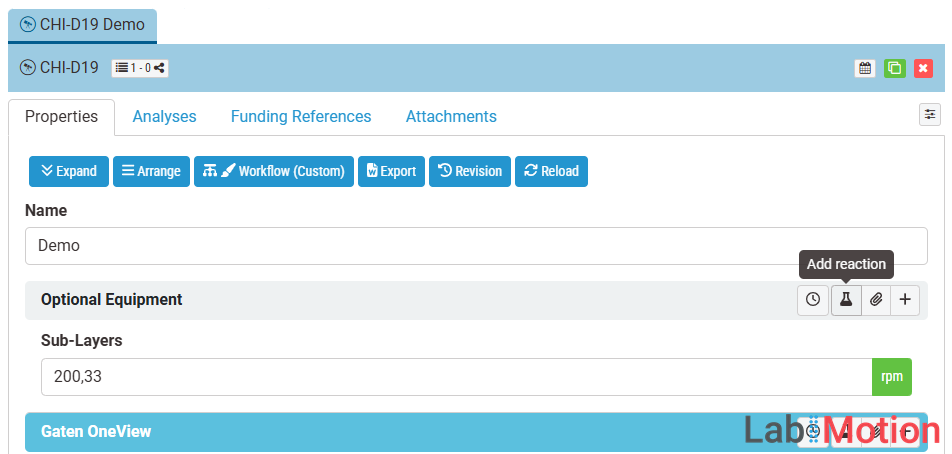
Initiate the addition – Navigate to the desired section (e.g., Optional Equipment) and click the flask icon labeled “Add reaction”.
-
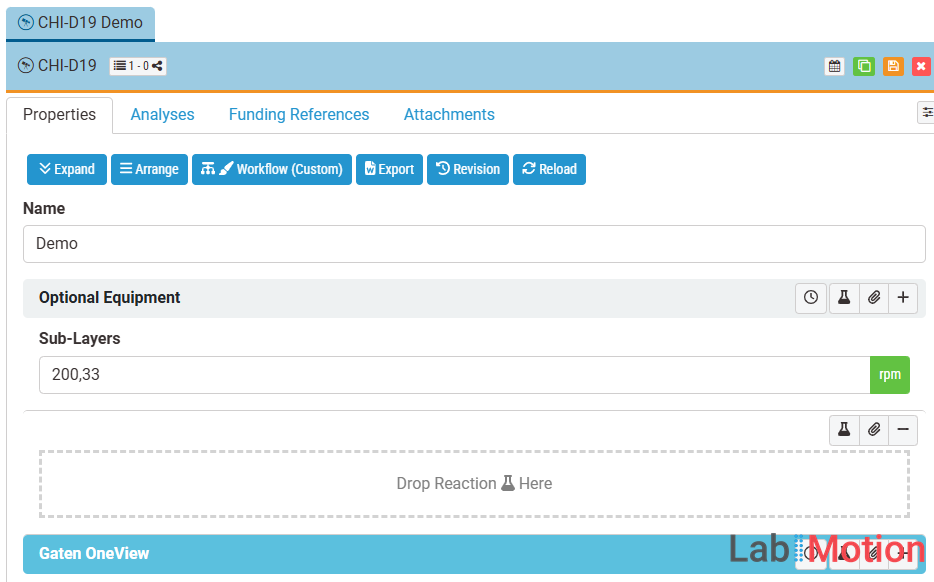
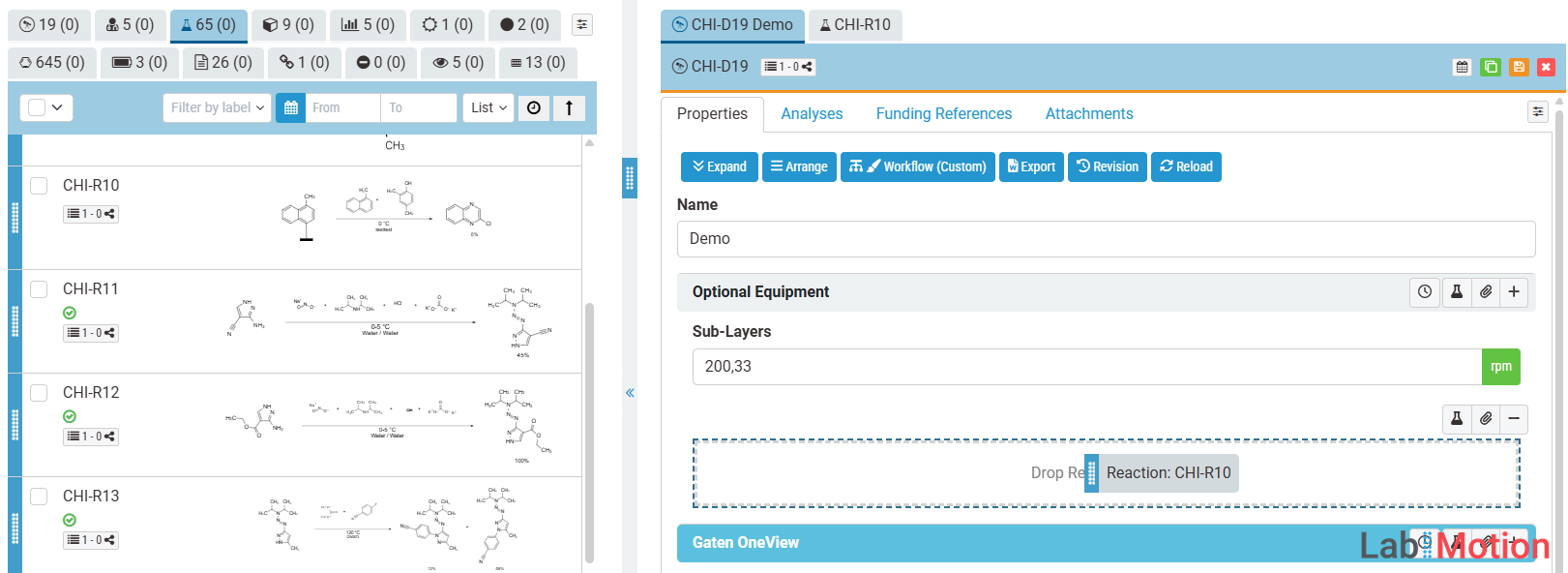
Prepare the drop area – A dashed box appears within the section displaying “Drop Reaction 🧪 Here”, ready to receive your reaction.
-
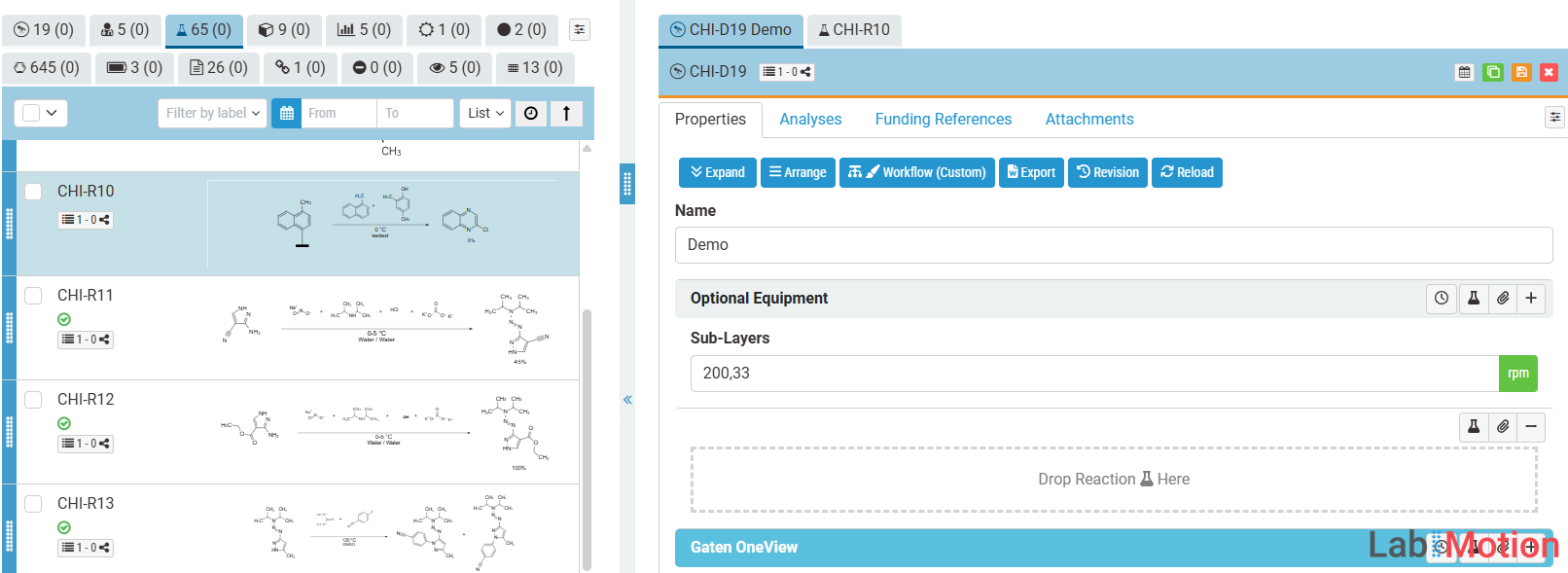
Select a reaction – Open the Reactions list located in the panel on the left side of the screen.
-
Drag and drop – Choose the reaction you want to add, drag it from the list, and drop it directly into the dashed “Drop Reaction Here” area.
-
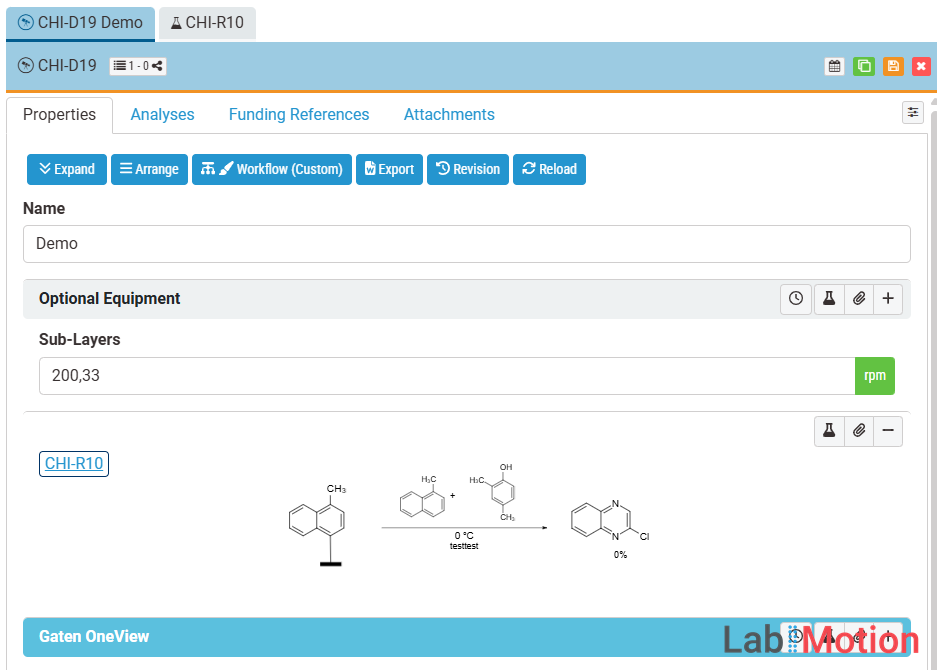
Confirm the result – The reaction and its corresponding chemical diagram will be displayed and embedded within the section.
Notes & Tips
- A single Reaction field can hold one reaction at a time. To associate multiple reactions, add multiple Reaction fields to the layer.
- Reaction fields are fully supported in both Generic Elements and Generic Segments.